Reklam
![Samsung Galaxy S10 FE AI-Tablet, Android Tablet, 128 GB Speicher, 8 GB RAM, 27,70 cm/10,9" Display, Inkl. S Pen, Wi-Fi, Lange Akkulaufzeit, Silver, 36 Monate Herstellergarantie [Exklusiv auf Amazon]](https://m.media-amazon.com/images/I/412-59Y1fqL._SL500_.jpg)
Klavyeli ve kalemli tabletler
Tablet karşılaştırması
Klavye ekle, tablet kompakt bir iş cihazına dönüşsün; kalem ekle, dijital bir not defterine. Burada klavye veya kalem içeren fırsatları bulursun.
| Görsel | Model | Temel özellikler | min. | liste fiyatına göre |
|---|---|---|---|---|
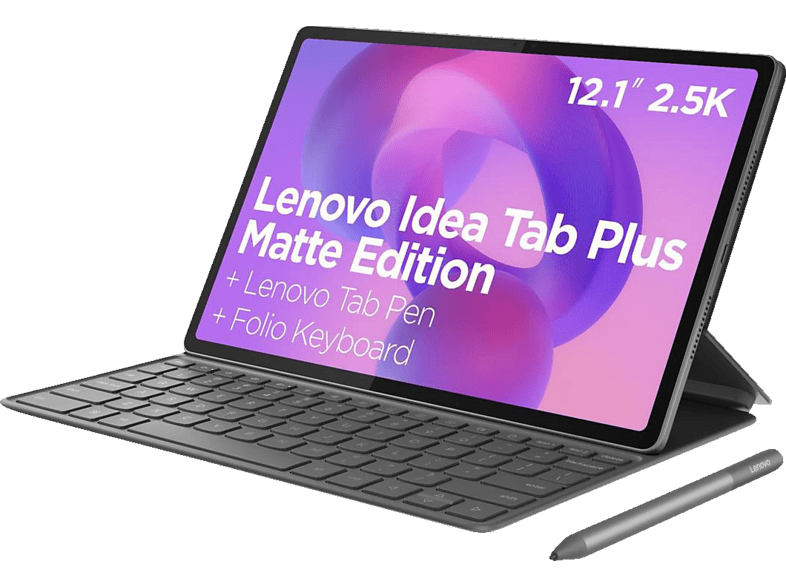 | LENOVO Idea Tab Plus "Matte Edition", inkl. Tastatur und Stift, Tablet … | 128 GB · 12.1 ″ · Gri | €399,00 | – |
| Samsung Galaxy S10 FE AI-Tablet, Android Tablet, 128 GB Speicher, 8 GB RAM … | 128 GB · 10.9 ″ · Gümüş | €542,79 | −14 % |
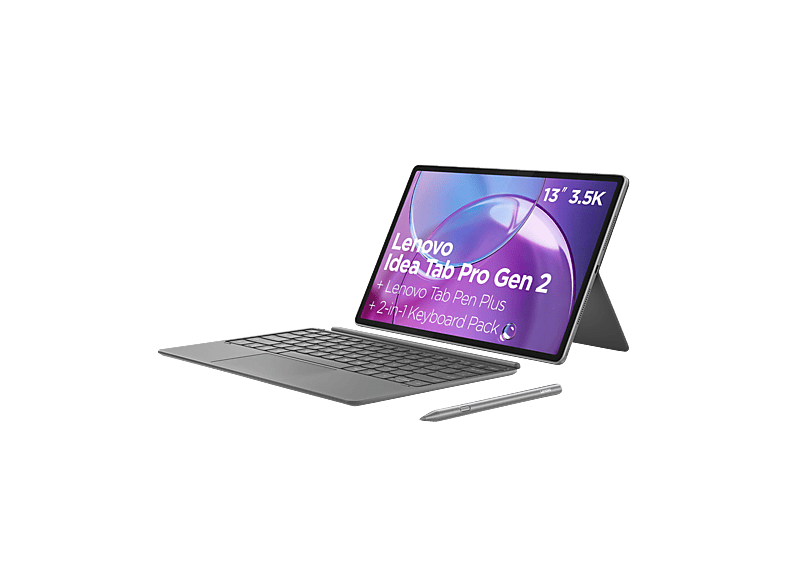 | LENOVO Idea Tab Pro Gen 2 mit Tastatur und Stift, Tablet, 128 GB, 13 Zoll … | 128 GB · 13 ″ · Gri | €549,00 | – |
 | Samsung Galaxy Tab S10 5G Lite Enterprise Edition, Android Tablet mit KI … | 128 GB · Gri · 6 GB | €428,44 | – |
LENOVO Idea Tab Plus "Matte Edition", inkl. Tastatur und Stift, Tablet …Lenovo · 128 GB · 12.1 ″€399,00Samsung Galaxy S10 FE AI-Tablet, Android Tablet, 128 GB Speicher, 8 GB RAM …Samsung · 128 GB · 10.9 ″€542,79LENOVO Idea Tab Pro Gen 2 mit Tastatur und Stift, Tablet, 128 GB, 13 Zoll …Lenovo · 128 GB · 13 ″€549,00Samsung Galaxy Tab S10 5G Lite Enterprise Edition, Android Tablet mit KI …Samsung · 128 GB · Gri€428,44MediaMarktReklam
AmazonReklam
MediaMarktReklam
Amazon (Mobilestore GTL)Reklam
Klavyeli ve kalemli tabletler
Klavyeli ve kalemli tabletler
Klavyeli ve kalemli tabletler
A keyboard turns a tablet into a writing device for essays, emails and minutes. There are three types: keyboard covers that also protect the screen, magnetically attached keyboards with a trackpad, and separate Bluetooth keyboards. Covers are light and practical but often less comfortable to type on. Keyboards with a trackpad come closest to the laptop feel.
Many cheap Android tablets are sold as a bundle with a Bluetooth keyboard, mouse, pen and case. That's convenient, but the quality and durability of such extras vary widely.
Simple styluses with a rubber or disc tip work on any touchscreen, but don't detect pressure and are only suitable for rough input. Active pens such as the Apple Pencil, Samsung S Pen or the pens from Xiaomi and Lenovo detect pressure levels, ignore your resting hand and allow precise writing and drawing. These pens are tied to specific tablet models.
For digital note-taking, a tablet with an active pen and a notes app is enough. If you write a lot, plan for a keyboard as well. For school tablets, ask in advance which system the school uses – some schools rely on centrally managed iPads. A used iPad with a pen is a common option on a tight budget.
Used iPads and Galaxy Tabs are often sold together with a pen or keyboard. That can be worth it, because original accessories are fairly expensive new. But check that the pen and keyboard fit the model in question, work fully and that the pen still charges.
With new bundles including keyboard, mouse and pen, also check whether the keyboard layout is German QWERTZ – imported bundles sometimes come with an English layout.
Basit pasif kalemler evet. Basınç algılamalı aktif kalemler yalnızca tasarlandıkları tablet modelleriyle çalışır.
Yazı, internette gezinme ve ofis uygulamaları için çoğu zaman evet. Uzmanlık programları, dosya yönetimi ve çok sayıda pencere için dizüstü daha esnek kalır.
Aktif kalemli bir tablet; örneğin Apple Pencil'lı bir iPad veya S Pen'li bir Galaxy Tab. Düşük gecikme ve iyi avuç içi algılama çok önemlidir.
Yeni başlayanlar için kullanışlıdır, çünkü her şey birlikte çalışır. Ancak ekstralar çoğu zaman basittir – bazı parçaları sonradan değiştirmeyi bekle.