
Guide
Buying a tablet: what really matters in 2026
Tablets range from cheap streaming devices to laptop replacements. This guide explains the key criteria – so you don't pay too much and don't cut corners in the wrong place.
Updated 7 min readEditorial team wotablet.de
Use case first, then the model
The most important question before buying is: what do you want to use the tablet for? For series, YouTube, browsing and email, an entry-level device is enough. For kids, robustness and parental controls count. If you want to draw, take notes with a pen or work with a keyboard, you'll need more power, a better display and the right accessory support. And if you game, look at the chip, refresh rate and cooling.
Then you choose a system. iPads run iPadOS, are closely integrated with the iPhone and Mac and, in our experience, receive updates for many years. Android tablets come from numerous manufacturers in every price range. They're more open, often have memory card slots and pair well with Android smartphones. There are also niches such as Amazon's Fire tablets with their own app store, and Windows tablets, which are really more like laptops with a touchscreen.
Display: size, resolution and refresh rate
Screen size determines how you use the tablet. 8 to 9 inches is handy and ideal for reading on the go. 10 to 11 inches is the all-rounder for the family and the sofa. 12 to 14 inches is worth it for films, drawing and working with a keyboard – at the cost of more weight and a higher price.
As for resolution: from 10 inches it should be at least Full HD (1,920 × 1,200 pixels), and at 12 inches and above rather 2K. Cheap tablets with 1,280 × 800 pixels are fine for videos but show text blurrily. A higher refresh rate of 90, 120 or 144 Hz makes scrolling and animations smoother and is now common in the mid-range too.
OLED or AMOLED displays offer deep blacks and high contrast, while LCD panels (IPS) are cheaper and stable at wide viewing angles. Both are good for evening streaming; if you often read outdoors, high peak brightness matters more than the panel technology.
Tablets with a smooth 90 to 144 Hz display
Ad All products linked with "View offer" are commission (affiliate) links: if you buy through them, we earn a commission – the price stays the same for you. As an Amazon Associate and eBay Partner Network affiliate we earn from qualifying purchases. Learn more
 Ad−25%
 Ad−25%
 Ad
AdOSCAL PAD 200 13.4" Gaming Tablet Set FHD 120Hz 32GB+256GB+2TB 4G LTE …
 Ad
AdBlackview MEGA 2 Tablet Set 12'' Android 15 36GB+256GB 120Hz 4G LTE FHD+ 4G …
Processor and RAM
The chip decides how quickly apps start and how long the tablet will cope with new software. With Apple, the differences are clearly tiered: A-series chips in the entry-level iPad and iPad mini, M-series chips in the Air and Pro. On Android you'll find Qualcomm Snapdragon, MediaTek (Helio, Dimensity), Unisoc and, with Samsung, sometimes Exynos. Upper mid-range Snapdragon and Dimensity chips usually offer the best balance, while Unisoc chips are mainly found in cheap devices.
When it comes to RAM, look at the real RAM. Many cheap tablets advertise figures like “24 GB RAM” made up of 6 GB of real and 18 GB of virtual RAM. Virtual RAM is swapped-out storage and much slower. For everyday use, 4 GB of real RAM is the minimum, 6 to 8 GB is recommended, and more for demanding tasks.
Storage: internal and expandable
64 GB of internal storage is the minimum today and 128 GB a good standard. If you save films offline, install lots of games or work with large files, choose 256 GB or more. Many Android tablets have a microSD slot for photos and videos, though apps often can only be installed there to a limited extent. iPads don't have a card slot – so plan more generously. Claims like “expandable to 1 TB” almost always refer to the largest supported memory card.
Wi-Fi, LTE or 5G?
Most tablets are only used on Wi-Fi. If you're often on the move, a model with mobile data is worth it – called “Wi-Fi + Cellular” by Apple and “LTE” or “5G” on Android. You'll need your own SIM or eSIM for it, such as a data SIM or a multi-SIM linked to your phone plan. Be careful with listing titles like “5G WiFi”: this usually just means the 5 GHz Wi-Fi band, not mobile data. One advantage of cellular tablets: they generally have a real GPS module and so also work as a large satnav.
Tablets with a SIM slot for LTE or 5G
Ad All products linked with "View offer" are commission (affiliate) links: if you buy through them, we earn a commission – the price stays the same for you. As an Amazon Associate and eBay Partner Network affiliate we earn from qualifying purchases. Learn more
Ad−25% Ad
Ad AdAd
AdAdOSCAL PAD 200 13.4" Gaming Tablet Set FHD 120Hz 32GB+256GB+2TB 4G LTE …
Updates, battery and the new EU rules
Software updates determine how long you can use a tablet safely. Since 20 June 2025, the EU Ecodesign Regulation for smartphones and tablets has applied: for newly launched models, manufacturers must provide operating system updates for at least five years after that model stops being sold. Spare parts must also be available for years, and batteries have to meet certain minimum durability requirements. At the same time, an energy label was introduced that shows, among other things, energy efficiency, battery life per charge and repairability.
These obligations don't apply retroactively to older and used devices. So if you buy a cheap end-of-line model or a no-name tablet, check which Android version is installed and whether the manufacturer promises updates.
For charging, USB-C has been the standard port for new tablets in the EU since the end of 2024. A charger isn't always included any more – you can often keep using your smartphone or laptop charger.
- Check the manufacturer's update commitments before buying.
- Compare energy labels: battery life and repairability class.
- Already have a USB-C charger? Then you can skip that accessory.
Streaming, Google services and accessories
For HD streaming on Netflix, Disney+ and the like, an Android tablet must support Widevine L1. Many cheap devices state this in the title – if it's missing, the tablet may only play streams at reduced resolution. Also check for Google certification (GMS), otherwise the Play Store and Google apps are missing. Newer Huawei tablets, for example, ship without Google services.
Factor accessories into your budget: a protective case is a must for kids, a keyboard turns the tablet into a writing device and an active pen into a notepad. These parts are often model-specific and together can add up to a considerable share of the device price.
Popular tablets from Samsung, Xiaomi and Lenovo
Ad All products linked with "View offer" are commission (affiliate) links: if you buy through them, we earn a commission – the price stays the same for you. As an Amazon Associate and eBay Partner Network affiliate we earn from qualifying purchases. Learn more
![Samsung Galaxy Tab A9 Plus 11" 64GB [Wi-Fi] Silver](https://i.ebayimg.com/images/g/w-8AAeSw06JqyU27/s-l225.jpg) Ad
Ad Ad
Ad Ad
Ad Ad
AdBattery life and charging
Manufacturers' battery life figures usually refer to video playback or browsing at medium brightness. In everyday use, most tablets last a day with mixed use; games and high brightness shorten battery life considerably. Capacity in mAh is only a rough guide, because the display, chip and software strongly affect efficiency. More helpful is the battery life per charge on the new EU energy label, which is measured using a standardised method.
Fast charging is a real convenience with large batteries. Check what charging power the tablet supports and whether a suitable charger is included. With a weak phone charger, a large tablet battery can take many hours.
Tablets for kids: what parents should look for
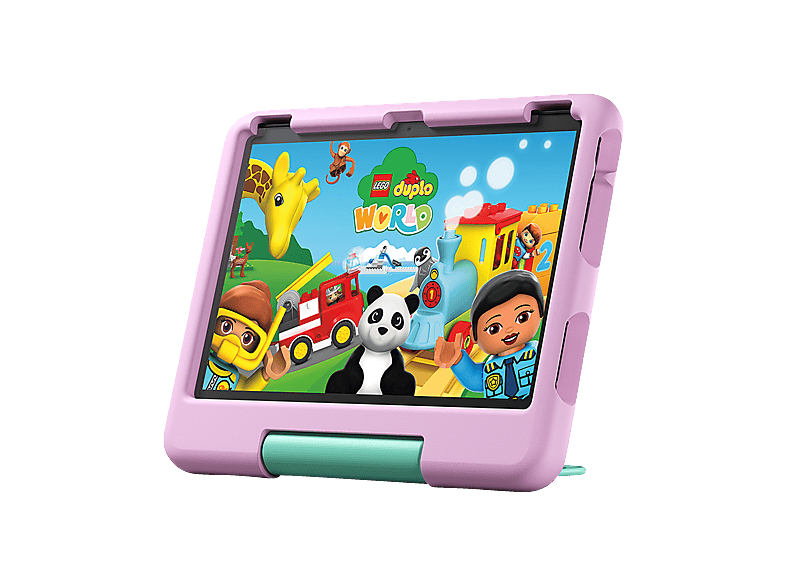
For children, criteria other than processing power count. What matters is a shockproof case with a handle, a device that isn't too heavy and good parental controls. On Android tablets that's handled by Google Family Link, on iPads by Screen Time, and on Amazon tablets by the Kids interface. Dedicated kids' tablets from unknown makers are often very cheap but usually have weak displays and hardly any updates. An entry-level device from a well-known brand with a sturdy case is often the longer-lasting solution.
Also keep an eye on the camera and microphone permissions of individual apps, and set up the tablet with a separate child profile. That way you keep track of which apps are installed and how long your child uses the device.
Kids' tablets at a glance
Ad All products linked with "View offer" are commission (affiliate) links: if you buy through them, we earn a commission – the price stays the same for you. As an Amazon Associate and eBay Partner Network affiliate we earn from qualifying purchases. Learn more
 Ad
Ad Ad
Ad Ad
Ad10 zoll Android 16 Kinder Tablet 24GB+64GB IPS Touchscreen Wi-Fi 6 Octa …
 Ad
AdSGIN Kinder Tablet 10.1 Zoll, Android 13 Tablet Für Kinder …
Quick checklist before you buy
These points help you avoid the most common bad buys:
- Clear on your use case? Streaming, kids, work or creativity.
- Display: the right size, at least Full HD, ideally 90 Hz or more.
- Real RAM rather than virtual marketing figures.
- Storage: 128 GB as a sensible standard.
- Wi-Fi or cellular – and don't confuse “5G WiFi” with 5G mobile data.
- Pay attention to update promises and the energy label.
- Buying used: a dealer with a statutory warranty and an unlocked device.
FAQ
Which tablet is right for me?
It depends on how you'll use it: for streaming an entry-level model is enough; for pen notes and working with a keyboard, a mid-range or premium tablet is worth it.
How many years of updates does a tablet get?
For models launched since 20 June 2025, the EU requires at least five years of operating system updates after sales end. For older devices it depends on the manufacturer.
Is 64 GB of storage enough?
Just about for basic use, but 128 GB is the recommended standard – especially on devices without a card slot.
iPad or Android tablet?
iPads score with long software support and the ecosystem; Android with choice, a wide price range and memory card slots. Both are a good choice if performance and updates are right.
Do I need a tablet with LTE?
Only if you regularly want to go online without Wi-Fi. Otherwise a Wi-Fi model plus your smartphone's hotspot is enough.