
Guide
iPad comparison: which iPad is right for you?
Apple offers four iPad lines, plus numerous older generations still on sale. This guide sorts out the differences and shows who each model is worth it for.
Updated 7 min readEditorial team wotablet.de
The four iPad lines at a glance
The standard iPad (often just called “iPad”) is Apple's entry-level model. It offers a large Retina display, an A-series chip from the iPhone family and all the key iPadOS features. For streaming, browsing, school, recipes and video calls, it's the most sensible choice for most people.
The iPad Air is the mid-range model. For several generations it has had an M-series chip, as also used in Macs. It also has a higher-quality laminated display and support for the more capable Pencil and keyboard models. In newer generations the Air comes in two sizes.
The iPad Pro is the top of the range: the fastest chips, the best displays with a high refresh rate, fast ports and professional camera and audio features. It's aimed at creatives and professionals who use every bit of headroom.
The iPad mini is the compact model at around 8.3 inches. It fits in a jacket pocket and is excellent for reading, taking notes on the go and as a cockpit tablet – for pilots, say, or in a motorhome.
Current new iPads price comparison
Ad All products linked with "View offer" are commission (affiliate) links: if you buy through them, we earn a commission – the price stays the same for you. As an Amazon Associate and eBay Partner Network affiliate we earn from qualifying purchases. Learn more
 Ad−15%
 Ad
Ad Ad
Ad Ad
AdDisplay: the biggest visible difference
All current iPads have sharp Retina displays. The differences are in the details: on the standard iPad the display isn't laminated, so there's a small air gap between the glass and the image. When drawing with a pen, the tip therefore seems to “float” slightly. The Air and Pro have laminated displays with an anti-reflective coating. The Pro also offers ProMotion at up to 120 Hz, which makes scrolling and pen input especially smooth, plus particularly high brightness and contrast.
For films and browsing, the standard display is perfectly adequate. If you draw a lot or read and write for hours every day, you'll notice the advantages of the Air and Pro.
Performance: A-series or M-series chip?
The A-series chips in the standard iPad and iPad mini are more than fast enough for everyday tasks. The M-series chips in the Air and Pro offer much more graphics performance and more RAM. You'll notice this with video editing, large photo edits, demanding games and AI features, which Apple increasingly runs directly on the device. Which Apple Intelligence features a particular iPad supports depends on the chip – check Apple's website if this matters to you.
A rule of thumb: more performance usually also means a longer service life, because new iPadOS versions are supported for longer on more powerful devices.
Choosing the right storage and connectivity
iPads can't be expanded with a memory card. For streaming and cloud users, 128 GB is enough. If you download films for offline use, install lots of games or work with Procreate, LumaFusion or large PDFs, choose 256 GB or more. Apple's premium for extra storage is significant, but you can't upgrade later.
Every iPad is available as a Wi-Fi model or as “Wi-Fi + Cellular” with mobile data. Newer Cellular models increasingly rely on eSIM. Check whether your mobile provider supports eSIM for tablets.
- 128 GB: streaming, browsing, cloud photos.
- 256 GB: offline films, games, creative apps.
- 512 GB and up: video editing, big projects, professionals.
Accessories: Pencil and keyboard
Apple offers several Pencil generations, each of which only works with certain iPads. The keyboards are also tied to the model and generation. So when buying a used iPad with accessories, or buying them separately, check Apple's compatibility list. Accessories together can make up a large share of the device price – factor them in from the start.
Cheaper third-party pens work well with many iPads for notes, but some offer no pressure sensitivity. For serious drawing, an original Pencil is usually the better choice.
iPad Air and iPad Pro compared
Ad All products linked with "View offer" are commission (affiliate) links: if you buy through them, we earn a commission – the price stays the same for you. As an Amazon Associate and eBay Partner Network affiliate we earn from qualifying purchases. Learn more
Ad−15% Ad
Ad Ad
Ad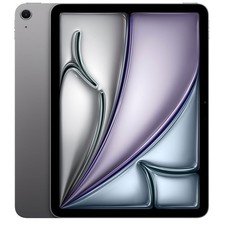 Ad
AdNew, refurbished or an older model?
Because Apple supports iPads with updates for a long time, the market for older and refurbished devices is big. An older iPad Pro can be faster in everyday use than a new entry-level iPad. But watch the age: very old models no longer receive new iPadOS versions. Compared with private sales, refurbished devices from dealers offer the advantage of testing and a statutory warranty.
Refurbished iPads
Ad All products linked with "View offer" are commission (affiliate) links: if you buy through them, we earn a commission – the price stays the same for you. As an Amazon Associate and eBay Partner Network affiliate we earn from qualifying purchases. Learn more
 Ad
Ad Ad
Ad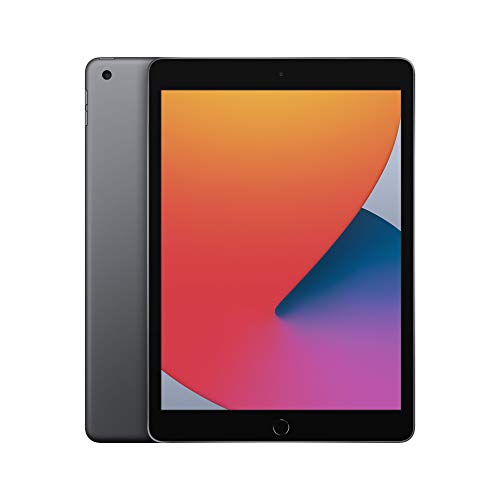 Ad
Ad Ad−5%
Ad−5%Ports, cameras and unlocking
Current iPads charge via USB-C; some older models you'll find used still have the Lightning port. USB-C is more practical because you can share chargers with your laptop and smartphone and connect external storage, monitors or card readers directly. On the iPad Pro, the port also supports particularly fast data transfer, which saves time with large photo and video files.
To unlock, most iPads use Touch ID, located in the Home button or the top button depending on the model. The iPad Pro, by contrast, uses Face ID. Both work reliably – Face ID is more convenient when the tablet is in a stand, while Touch ID also works when you're wearing a mask.
iPad cameras are intended for document scans, video calls and the occasional photo. For many people, the position of the front camera matters more than the rear camera: newer models have it on the long edge, which looks much more natural on video calls in landscape mode with a keyboard. Older generations still have the front camera on the short edge.
What using an iPad costs on top
Besides the device price, you should plan for a few follow-on costs. Many users need more iCloud storage for photos and backups over time – all the more so with little internal storage. Then there's a case or folio, a pen and keyboard if needed, and possibly a charger if none is included. If you use the iPad with mobile data, you'll also need a data plan.
Resale value matters too: iPads with more storage, a Cellular modem and a current chip are usually easier to sell later and at a better price. If you change your tablet every few years, you can recoup part of the extra cost this way. Conversely, base models with very little storage lose their appeal faster, because they quickly become too tight for new buyers.
More storage at purchase can reduce ongoing cloud costs. So do a quick calculation of whether the larger storage tier pays off over your planned period of use – over several years it often does.
iPad mini: small but fully featured
The iPad mini is often underestimated. It runs the same iPadOS software as the larger models, but fits in a jacket pocket and is comfortable to hold in one hand. That makes it particularly suitable as an e-book reader with a colour display, a digital notebook with a pen, a navigation and map device when travelling or a control centre for smart home and music.
The mini is less suitable if you type a lot with a keyboard or want to use two apps side by side – the screen is too small for that. Used mini models are in demand and therefore hold their value comparatively well. Here too, check the generation, as older models still have Lightning instead of USB-C and support different pens.
Recommendations by user type
As a rough guide, without claiming to be exhaustive:
- Family, streaming, school: standard iPad with 128 GB.
- University with pen notes: iPad Air or standard iPad with a compatible pen.
- Illustration, photography, video editing: iPad Pro or large iPad Air.
- Reading and on the go: iPad mini.
- Small budget: a refurbished iPad from a not-too-old generation.
FAQ
Which iPad is best for students?
For notes with a pen and keyboard, the iPad Air is a good middle ground. On a smaller budget, the standard iPad with a compatible pen also works.
Is the iPad Pro worth it for everyday use?
Usually not. Its advantages mainly show in creative work and professional applications.
How do I tell which generation an iPad is?
From the model number (A number) on the back or in Settings under “General > About”. Apple provides an online overview to help you identify it.
Which iPad has the smallest screen?
The iPad mini, at around 8.3 inches, is the most compact current iPad.
Can I upgrade an iPad's storage?
No. Only external USB-C drives or cloud storage add to the available space.